Delay Generators
hardware_control.gui.controls.DelayGenerator module
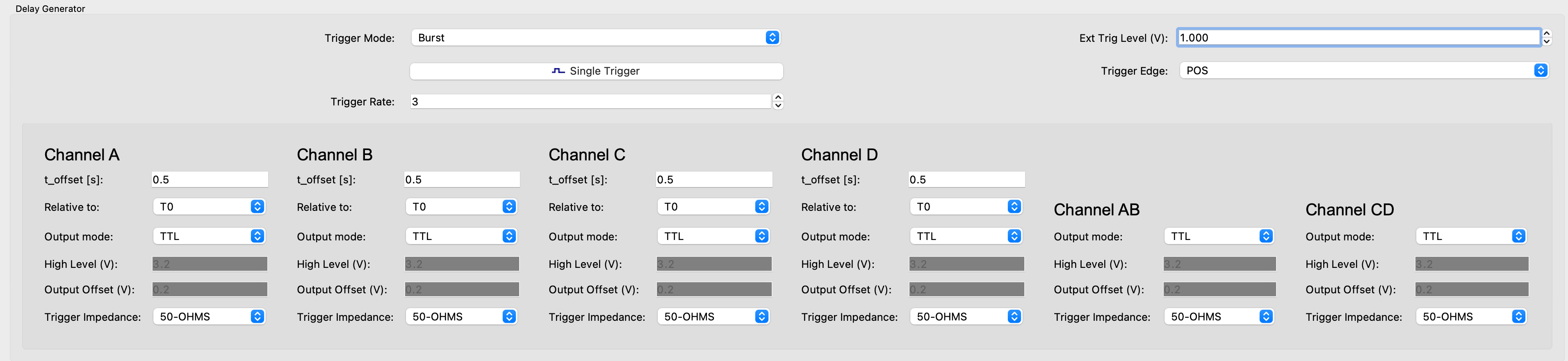
- class hardware_control.gui.controls.DelayGenerator.DelayChannelWidget(app, instrument_name: str, channel: str)
Bases:
QWidgetA Qt-widget that implements controls for a single channel of a delay generator.
Used together with
DelayGenerator.- Parameters:
main_widget (DelayGenerator) – The main widget in which the objects is used
channel (str) – The channel the object controls. Normally A, B, C, or D, but AB and CD are also allowed for combined channels that, for example, exist in the SRS DG533 instrument.
- set_output_level_hook(value)
Only allow input for ‘High Level’ and ‘Output Offset’ when in ‘Var’ output mode.
- update_delay(delay)
When updating a channel’s time delay, send both the relative channel and the delay.
- update_relative_channel(relative_channel)
When updating the relative channel, send both the relative channel and the delay.
- class hardware_control.gui.controls.DelayGenerator.DelayGenerator(app, instrument_name: str, widget_name: str = 'Delay Generator')
Bases:
QGroupBoxA GUI for delay generators.
This implements many front panel functions of an SRS DG535 and also contains some elements that are unique to this instrument.
- enable_disable_hook(value)
Enable/Disable and show/hide certain inputs depending on the trigger mode.